User Management
info
This is for Factory AI Administrators only
Managing Users
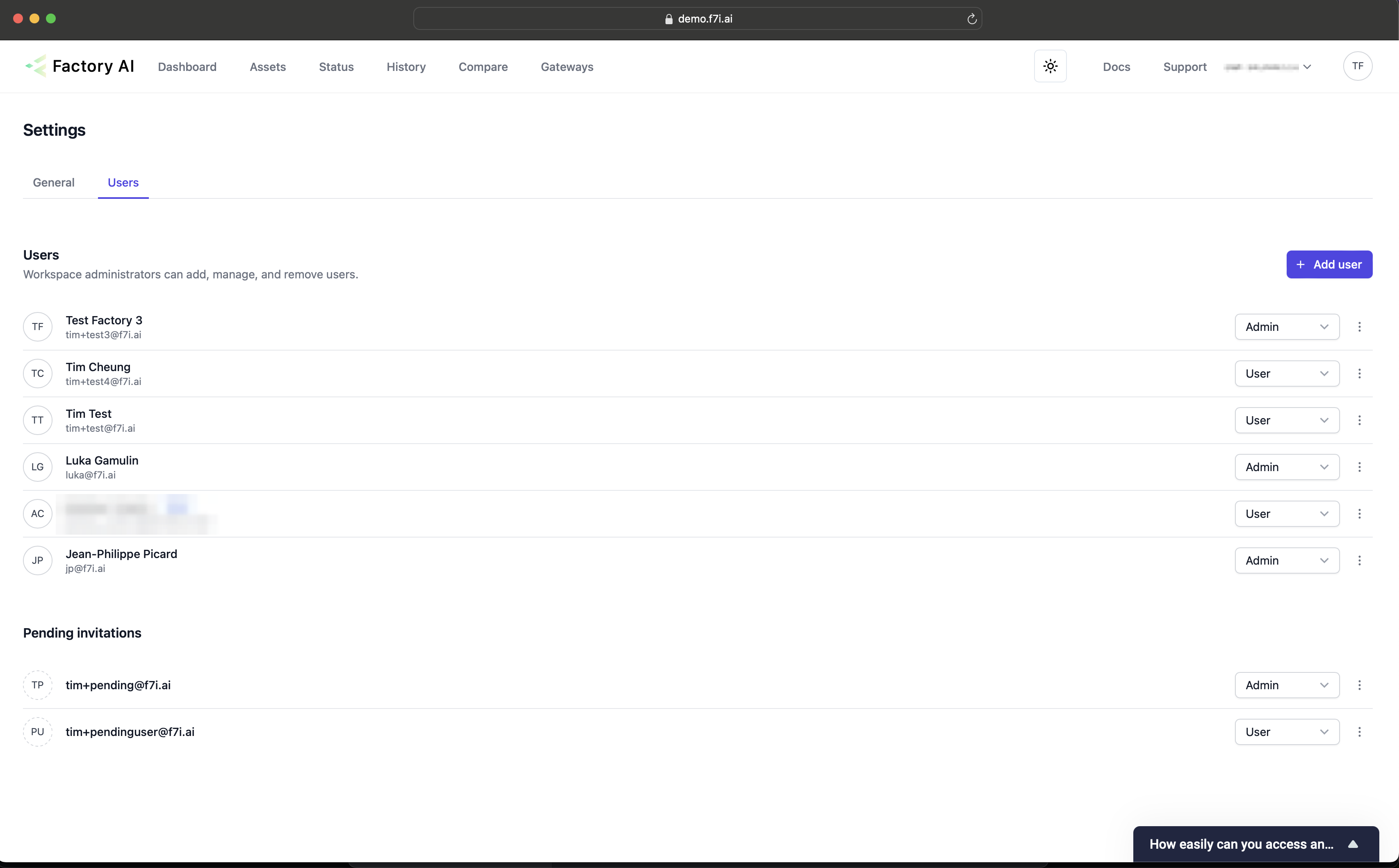
Admins can invite, remove and manage the roles of users that have access to Factory AI.
- You can navigate to the user page, by clicking the top right avatar icon (your initials), clicking Settings.
- Then in the middle of the page selecting the user tab.
Adding Users
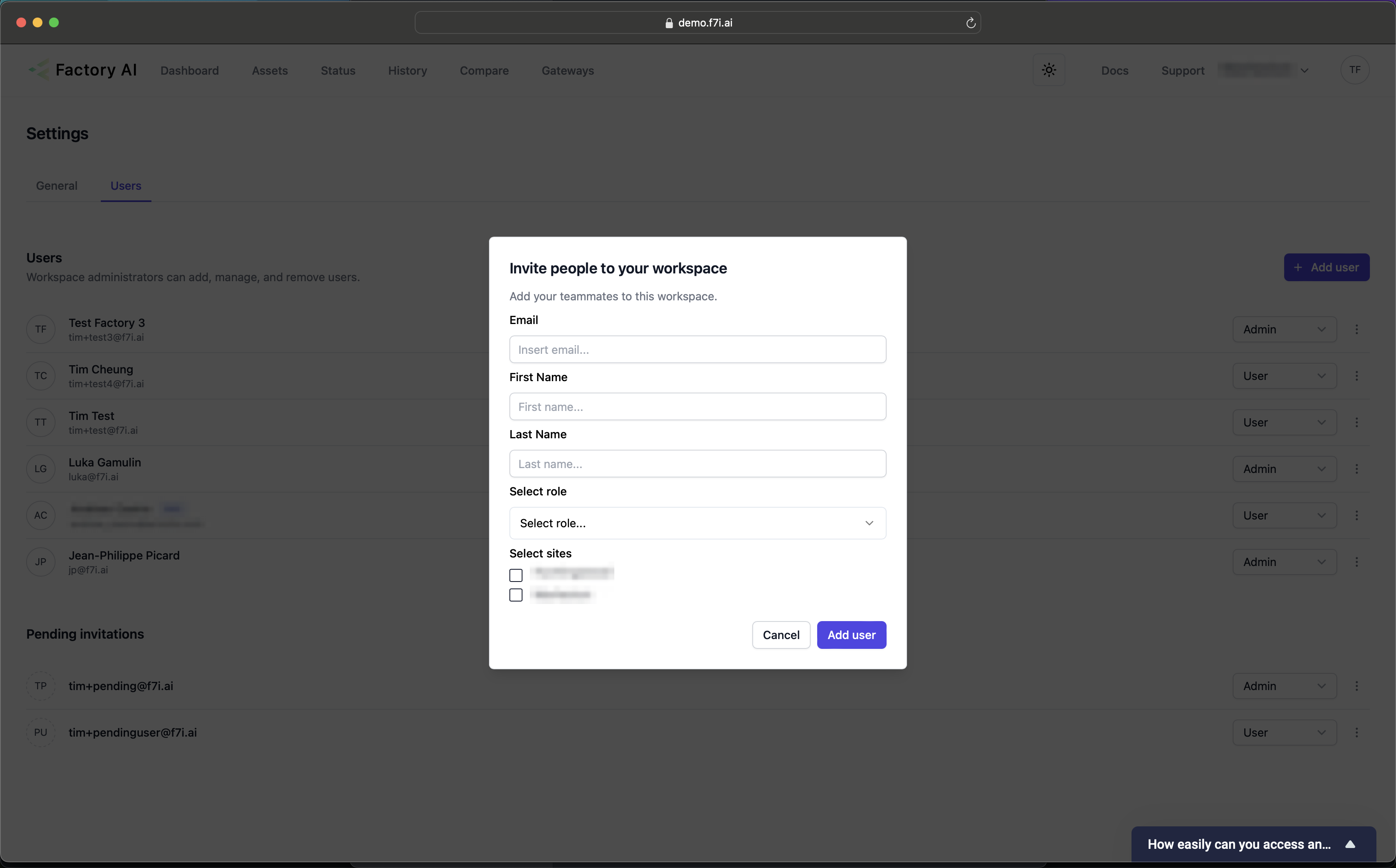
To add a user:
- Click the "Add User" button.
- Fill in all the fields
- At least one site must be selected.
- Click add user.
- The user will receive an email invitation with a link to set up their account. The invitation walks them through verifying their email, setting a password, and optionally adding a passkey — see Accepting Your Invitation for the user's view of the flow.
tip
Invitations expire if not accepted within the configured window. If a user's invite has expired, you'll need to send a new one from the user list.
Removing Users
- To remove users, simply click the triple dot icon to the right of the user, and select delete or revoke invitation.